August 25, 2008
The 2008 H810 Interview Presentation
These are my slides for my August 19th interview presentation. I was given the remit of presenting a five- to ten-minute presentation on the "Challenges Affecting Disabled in E-Learning". The interview was for an associate lecturer position on the new H810: Accessible online learning: supporting disabled students postgraduate course, part of the M.A. in online distance education. Each slide has been annotated based on my presentation preparation notes. A downloadable version is available. Click the "More" link below to continue viewing the online version.
Title Slide
Title slide for my August 19th interview presentation. I was given the remit of presenting a five- to ten-minute presentation on the "Challenges Affecting Disabled in E-Learning". The interview was for an associate lecturer position on the new H810: Accessible online learning: supporting disabled students postgraduate course, part of the M.A. in online distance education.
E-Learning Challenges
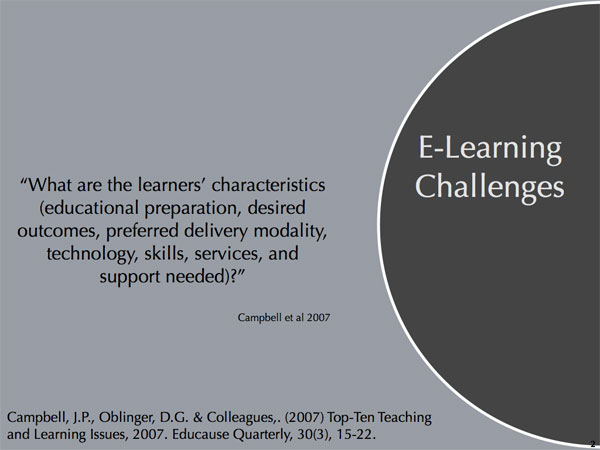
I ran across this paper from Educause Quarterly by John Campbell and Diana Oblinger about the top ten challenges for teaching and learning for 2007. I guess they had to wait until 2007 was almost over before knowing what those challenges were because this didn't appear until November.
I was particularly struck by issue number four: "Selecting Models and Strategies for E-Learning". One of the key questions posed there was "What are the learners' characteristics (educational preparation, desired outcomes, preferred delivery modality, technology, skills, services, and support needed?" This was intended for general e-learning, but I think it's even more important to e-learning for the disabled.
Range of Disabilities
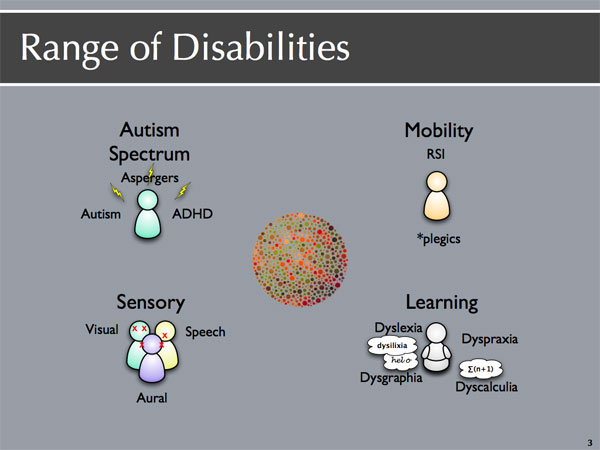
There's a wide spectrum of disabilities that people might present with in higher education, especially with e-learning.
Many people, when thinking about disabilities, probably think of the more common, visible disabilities in the lower left-hand quadrant: sensory disabilities, like hearing impairments, visual impairments -- including colour blindness -- and speech impairments; or perhaps they think of the various kinds of mobility impairments: quadriplegics or paraplegics.
I'd rather focus on the more unusual or "invisible" disabilities. For example, I think we should include RSI -- repetitive stress injury -- as that's a mobility disability that's affecting an increasing number of people and presents issues for e-learning.
In the upper left-hand corner, I have the autistic spectrum, with Aspergers, autism, and attention deficit hyperactivity disorder, which I have myself. These bring with them their own requirements for information presentation and processing.
Finally, in the right-hand quadrant, the various learning disabilities, many of which may co-occur with disorders in the autistic spectrum: dyslexia, dyscalculia -- difficulty in learning or understanding mathematics -- dysgraphia--difficulty in the ability to write -- and dyspraxia, the partial loss of the ability to coordinate and perform certain purposeful movements and gestures.
I have specifically omitted mental disorders like bipolar disorder and depression, as they don't affect the presentation or access to learning so much.
Challenges (1)
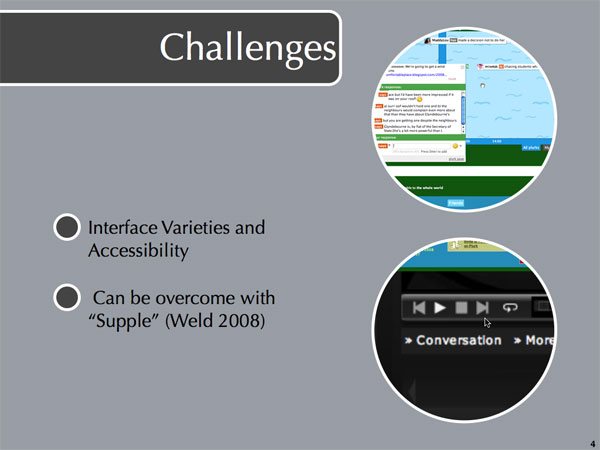
So what are some of the challenges affecting the disabled in e-learning? One of them is the variety of interfaces and how accessible those interfaces are to various disabilities.
At the top we have Plurk, a microblogging service like Twitter, where you have 140 characters to explore what you're doing now. Unlike Twitter, Plurk is threaded (see the threaded example inset) and is displayed on a timeline. The interface, though, is quirky and difficult to use by non-disabled on portable devices, like the iPhone. If you had a mobility problem, with all the fine clicking and moving of the mouse to choose between different threads, Plurk would be very difficult to use. Twitter, in comparison, is very linear, and accessible to people on different devices and those using assistive software.
On the bottom is Seesmic's interface. Seesmic is a video blogging or a video conversation site.
Some of the interface issues can be overcome by better design. Unfortunately, we don't always have control over the design of materials used in e-learning. I just read about a new adaptive interface system called Supple, presented by Dan Weld et al. at this year's AAAI convention in Chicago in July. If you've ever used a Palm Pilot, you might recall that the first thing it asks you to do is tap the screen in various corners, so it can calibrate how accurate you are pointing on the screen with the stylus. Supple does something similar but with user interfaces and then can rearrange the interface elements to accommodate motor problems, for example. Dan Weld's team indicated that one of potential application areas for this was web pages and I know that Niall Sclater at the Open University is already interested in it for exactly that.
Challenges (2)
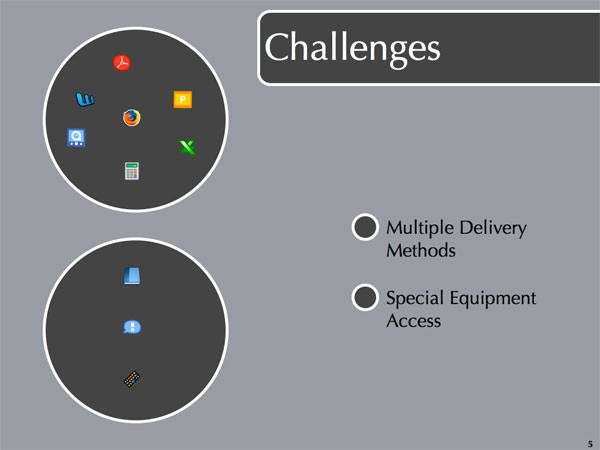
Closely related to different interfaces is the multiple methods of content delivery possible in e-learning: slides, spreadsheets, PDF documents, word processing documents, and audio-video presentations. Each of which presents its own accessibility issues.
Some of them require special equipment, like book readers or screen readers or mobility assist devices to aid in pointing, typing, or clicking. Some of this equipment is very expensive, so there's an issue of financial accessibility as well.
Challenges (3)
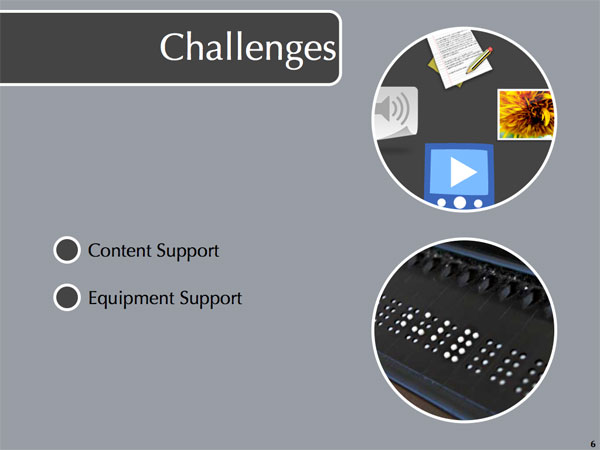
Once media accessibility has been addressed, there are still the traditional issues around content support. This is a challenge that all students face.
Disabled students may also have a challenge in finding adequate support for their specialized assistive software or equipment. At the Open University, a student's tutor is often their first port of call for problems, so it's not unreasonable to expect some ideas about how to solve common technical issues or know where to point students for help.
Challenges (4)
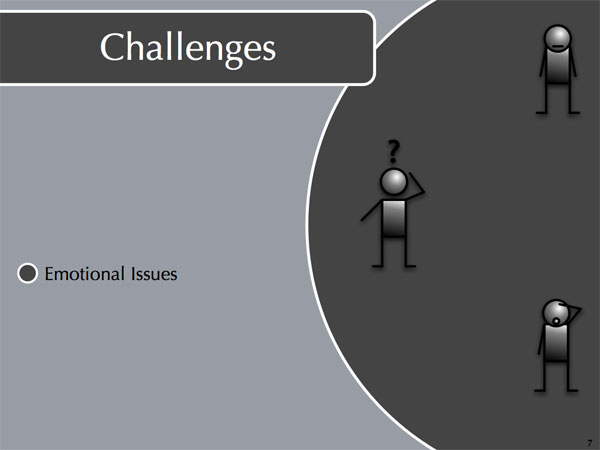
More so than other students, disabled students are more likely to suffer from emotional issues related to returning to study or taking university courses via distance education. That might include doing too much or too little, perfectionism (not that I know anything about that!), not wanting to be a special case, confidence, and self-image problems. The last three are particularly common.
Challenges (5)
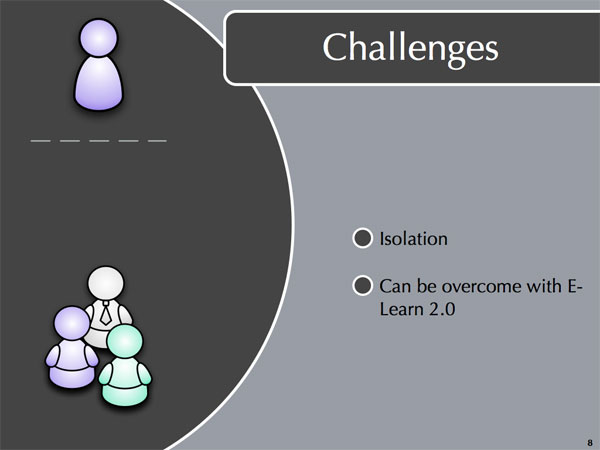
A familiar problem to everyone in distance education is that of students feeling isolated. This is a not-so-familiar problem for undergraduate students at traditional bricks-and-mortar institutions and very familiar for many disabled who may have spent a lifetime already feeling "different" and left out.
The good news here is that a lot of the isolation can be overcome with Learning 2.0, a topic I'll return to later on in the presentation.
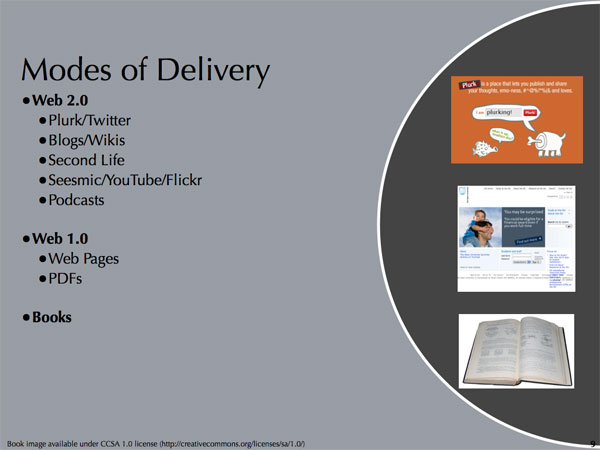
Modes of Delivery
E-learning modes of content delivery can be broken down into three areas: Web 2.0, Web 1.0, and printed materials. Web 2.0 can be thought of as the new, more interactive types of web site and online activities: Plurk/Twitter, blogs and wikis, Second Life, the video sites like Seesmic, YouTube, and Flickr. It can also include things like podcasts, an area the Open University has recently joined in partnership with iTunes U. These allow people to create content, often collaboratively, and then easily share it with others who may then modify it or comment on it.
Web 1.0 is typified by traditional, static web pages, converted PowerPoint presentations, and PDF documents. The possibilities for interactivity are very minimal. This is a very traditional and common way of presenting material online and probably not about to be supplanted completely by Web 2.0 applications in the near future.
And, as much as we'd like to claim we're a paperless university, the truth of the matter is we still have books and other printed materials. Web-based content can be made accessible sometimes with screen readers. Even with book readers, though, sometimes printed content is inaccessible. For example, on TT281, our course text had commentary in inset blocks and code on the rest of the page. Our blind student was unable to "read" the book satisfactory because of the layout. We contacted the publisher but, because of when we were first alerted to the problem, there was insufficient time to have something appropriate made available.
I just read about two recent initiatives by JISC TechDis, the Publishers Association, and the RNIB that might help in such situations. The first is "Publisher Lookup UK" where participating publishers provide contact addresses for having special arrangements of their materials made available. The second initiative is a guide to obtaining textbooks in alternative forms, providing advice on where to go, what to expect, and what questions to ask.
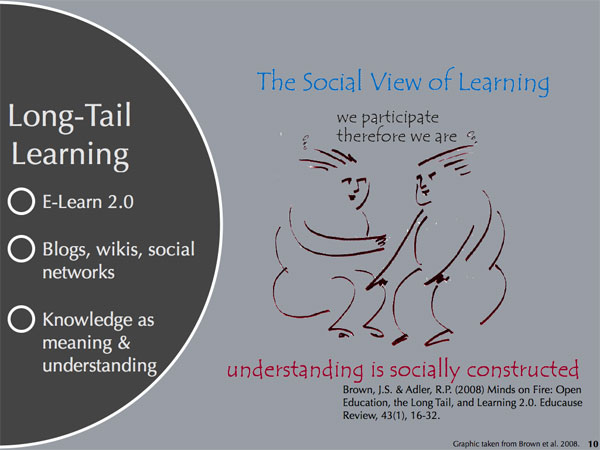
Long-Tail Learning
Wikis, blogs, and social networking sites can help form the backbone of Learning 2.0, synonymous with long-tail learning. I first read about this back in January this year in another Educause article called "Minds on Fire: Open Education, the Long Tail and Learning 2.0". In this article, Brown et al. discuss how 80% of sales in a bookstore come from 20% of the titles. That's the fat part of the "tail." Amazon, Chapters, and Borders turned that around by offering a huge selection, so large that the majority of their sales actually comes from the "long tail" of the sales curve. In education, content delivery is the fat part of the "tail" but the "long tail" comes from people's interactions with learning and knowledge.
So in "long-tail learning", Brown says that learning is a social activity and that understanding is socially constructed. This is contrasted with E-Learn 1.0, which was Cartesian learning, where knowledge is substance. That is, teachers impart "knowledge" to their students who somehow "learn it". Learning is a commodity to be boxed up and distributed.
Social networks are a strong, positive force here, especially for the disabled as they're not restricted from participating by their disabilities, unlike possibly real-world social networking. We know that students benefit from study groups, because they engage more with the material. Blogs, wikis, and social networks offer a powerful opportunity for the disabled.
E-Learn 2.0 Opportunity
I think e-learning for the disabled isn't so much a challenge as an opportunity to provide a level playing field. However, that opportunity will only be there if we remember certain things. The first is to adhere to standards, like those proposed by the W3C Web Accessibility Initiative and WebAIM. Stay away from technologies that are accessibility unfriendly, like Flash, or provide alternative access to the content if it's core to the learning experience.
It's an opportunity if we focus on accessibility, both in terms of access to the content and in terms of the content itself. I haven't spoken a lot about web-based accessibility as I teach courses here at the Open University and author course content on it, discussed in my original application and in my CV, but I will add the following comments about content: write clearly and comprehensibly, and use white space appropriately; engage in sensible paragraph planning paragraphs for those with attentional or focussing difficulties. Accessibility isn't just about the disabled. Paying attention to these details benefits everyone.
Finally, it's an opportunity if we remember our primary motivation:
Primary Motivation
Teach, yes, but also foster a willingness (and ability) to learn and to continue to learn.
In conclusion, lifelong learning is compatible with long-tail learning. Social networks can go on long after the "course" ends. E-learning does have challenges for the disabled, but it's also a great opportunity to move forward by using E-Learn 2.0 and Web 2.0 in a focussed, accessible way.
Contact Details
Michelle A. Hoyle -- August 19th, 2008.
http://einiverse.eingang.org/
eingang AT sussex DOT ac DOT uk
Downloadable Resources:
- A4 PDF Version of H810 Interview Talk on Challenges Affecting the Disabled in E-Learning (1.5 MB)
October 06, 2004
[Moo! Mackie's Makes It]
Professor James Fleck visited the IDEAs lab on June 4th, 2004 from the Management School and Economics at the University of Edinburgh, to present a talk on "Processes of Innovation and Design for Usability".
This was a very interesting seminar, if not immediately relevant to my own research. Not only was some of the content fascinating, but the method of presentation was also novel. Professor Flack uses mindmapping software to prepare his presentation and then uses the mindmap as a navigation tool during the presentation. By clicking on a mindmap element, a separate page would be opened where he could explore that concept in detail or perhaps an image clip launched.
Here, belatedly, are a copy of the abstract and my notes from the seminar.
Abstract:
In this seminar I will outline a range of theories of innovation within the broader context of technological development, to draw lessons about how the design process may be facilitated or constrained, especially with regard to usability. The discussion will be grounded with reflections about several empirical cases. These will include the design of a particular "smart Product" (Persona--the electronic contraceptive) and the development of a "Personal Learning Appliance" for a new e-learning initiative at Edinburgh (The Global Innovation MBA--GIMBA).
Conclusions will address the need for practical trialling; the need for mapping the space of behavioural interactions (behavioural ergonomics?) and the need to overcome "default satisficing behaviour" among prospective users.
Notes:
Technology, according to Pacey, is only successful when technological, cultural, and organizational components are all in place. Ownership, for example, in the case of a water well is important in keeping the pump running and maintained. This is one theoretical underpinning to understanding the process of innovation and designing for usability.
One of the fascinating case studies that Professor Fleck discussed was about the robot milking machines. Mackie's of Scotland make ice-cream from the milk of their own Jersey herd. They were interested in increasing milk yields and decreasing the cost of human labour required to obtain the milk. They implemented a series of portable robotic milking stations in the fields. Using RFID or some such similar technology, when a cow comes to the milking station, she can be identified and the milking station automatically configures itself to milk that particular cow. Milk yields rose by 19% in the first year. It took the cows three months to adjust to the new system. It took the human staff almost a year. It was easy for the cows to adjust to because it required very little training on their part. They went to get food when they were hungry. They went to be milked when they felt full. The process here also had an unintended side benefit. While the primary goal was to increase milk yields, because the opportunities for human intervention in the supply chain (milk to ice-cream) were significantly reduced, the liability was subsantially reduced. Their cost of implementation was quickly repaid by the savings on the liability alone. Good for the cows. Good for Mackie's. Good for the ice-cream too.
One problem of implementing new technology is that people are reluctant to change their behaviour of usage beyond what works for them. Professor Fleck called this "default satisficing behaviour." In many cases, this manifests iteself as resistence to learning anything beyond basis usage of a piece of technology. Innovation and technology requires many components (bits and pieces from many seemingly unrelated fields) and customer context is important.
With respect to learning, we need to realize that in a bricks-and-mortar university, learning is an interaction between the instructor and the students, not between the student and the materials.
June 04, 2004
Conceptual Change
David Jonassen visited the IDEAs lab on May 11th from the University of Missouri to present a talk on "Model-Building for Conceptual Change (Cognitive Tools in Action)". While this isn't (or so I thought) related to my own research or interests in any way, we were all encouraged to attend if possible and I'm always interested in talks about learning in general. Here, belatedly, is a synopsis of my understanding of his presentation.
The key underlying principle seemed to emphasize having people fail in their problem solving attempt at some issue because then conceptual change has a change to be engaged and then students will learn. This failure need not be catastrophic; in fact, it probably should not be, I would say, or the failure would foster a strong sense of discouragement, which is not going to get a student into the "learning zone." So, how do you put students into a non-threatening environment where they can safely experiment and fail? David Jonassen's idea was to encourage them to engage in model building which demonstrates their conceptual understanding of the problem/issue at hand. When learners build models,their understanding of the problem domain is deepened because you cannot model what you do not understand. Model building also allows you, as the instructor, to view the learner's level of conceptual change as their models evolve. It is therefore possible to assess their underlying understanding without resorting to formal assessment tests. Finally, David Jonassen suggested that model building also improves critical reasoning and thinking because model building forces the model builder to examine the process and problem solving methodology.
David Jonassen researches (among other things) the use of technology in educational settings to improve understanding. More information on his approaches to problem solving are available from on the following web site page: http://tiger.coe.missouri.edu/~jonassen/PB.htm.
I think this is some interesting research, but obviously not applicable to every learning situation. Physical processes, like volcanos, weather, chemical reactions, etc. are very appropriate for model building. Or maybe I just need to change my understanding of what constitutes a model? For example, I'm teaching students how to program in JavaScript. In a way, a program is sort of like a model and we give students programming projects where they model some kind of answer to a stated problem to demonstrate their understanding of the process. Most students do not implement the solution correctly intially, so they need to refine their understanding of the problem and its solution over several iterations. Failure is forcing them into a state of conceptual change and as they repair their assumptions and their "model" code, they are learning valuable lessons about what works and the process of both developing and fixing. I guess, in fact, I've been doing this all along; I just didn't have a name for it!